- In the previous lesson, we built and trained a CNN to classify small grayscale images of articles of clothing from the fashon MNIST dataset.
- One of the great advantage of CNN's is that they can also work with color images.
- Later in the lesson, I'll build and train a convolutional neural network, that can classify color images of cats and dogs.
- Along the way, I'll also learn different techniques that can be used to manage a common problem with neural networks called overfitting.
- In real applications, we usually have to deal with high resolution color image of different sizes.
- In order to decrease the training time, we will only use a small subset of images to train our CNNs.
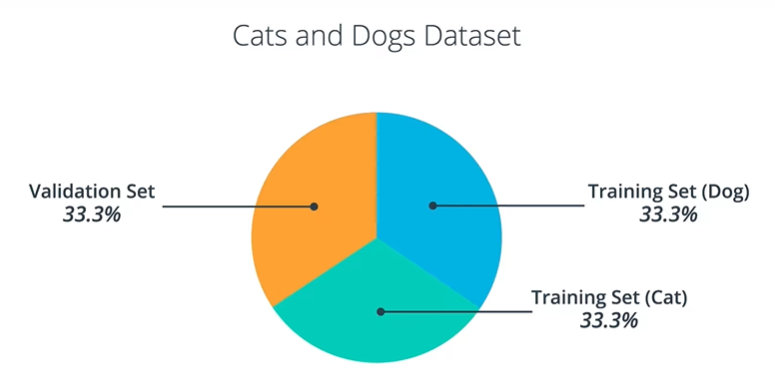
- When working with this dataset, we will face two main challenges.
- The first chllenge will be working with images of different sizes.
- The second chllenge will be working with color images.
- Since all of the images from the Fashion MNIST dataset have the same size, they all get flattened to 1D arrarys of the same size.
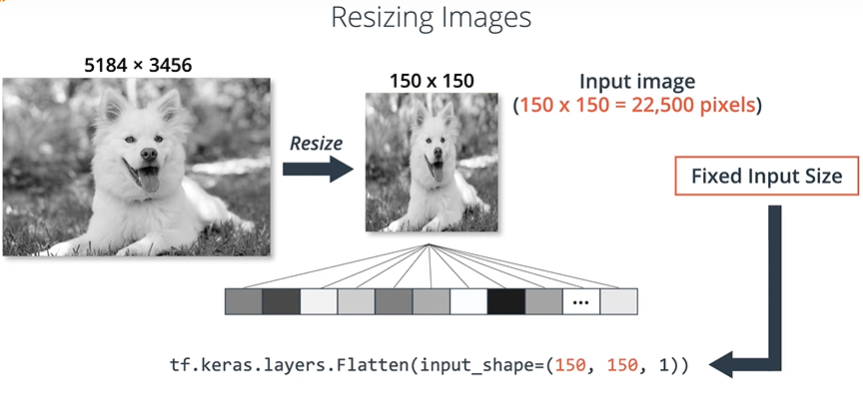
- Since neural networks need a fixed size input, just flattening the images won't work. Because flattening the images will give rise to one-dimensional arrays of different sizes.
- When doing image classification, we always solve this problem by resizing all the images to the same size.
- By resizing all images to the same size, this will guarantee that when we flatten the images, they'll result in 1D arrays of the same size.
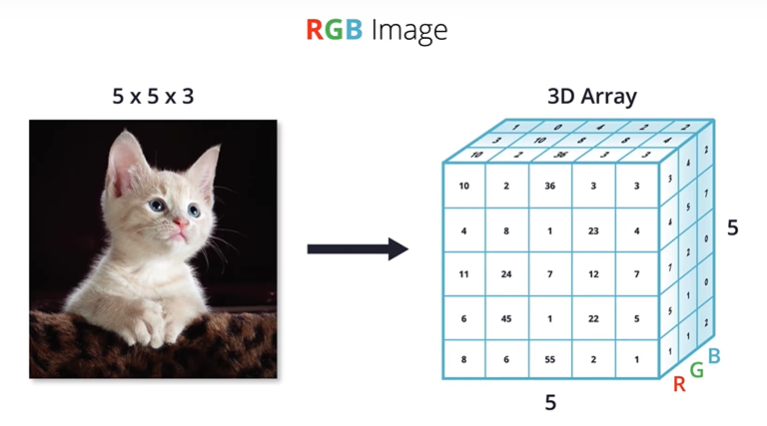
- Computers interpret color images as three-dimensional arrays. The width and height will be determined by the height and width of the image, and the depth will by determined by the number of color channels.
- Most color images can be represented by three color channels namely red, green, blue. In RGB images, each color channel is represented by its own two-dimensional array.
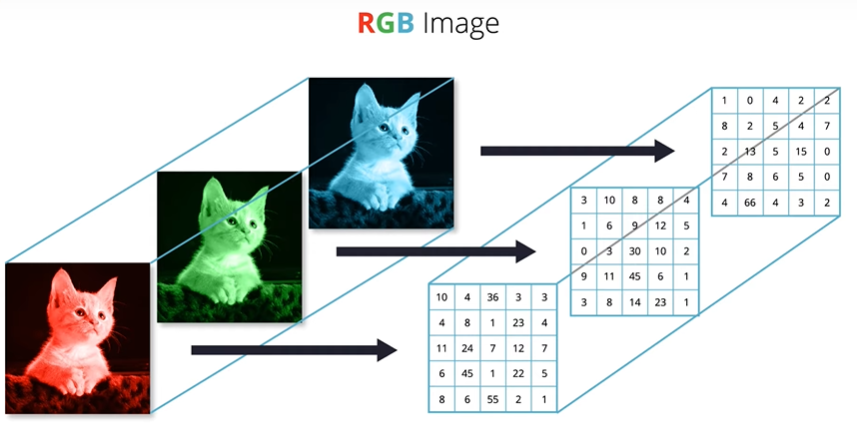
- Now, Since our input image is going to be three-dimensional, we have to modify our code accordingly.
ex) input_shape=(150,150,3) <- the third number in the input shape parameter refers to the number of color channels. first two numbers refer to height and width of the input image.
'인공지능(AI) > Udacity tensorflow 강의' 카테고리의 다른 글
| [Lesson 4] Going Further with CNNs (3) (0) | 2020.09.27 |
|---|---|
| [Lesson 4] Going Further with CNNs (2) (0) | 2020.09.27 |
| [Lesson 3] Introduction to CNNs (2) (0) | 2020.09.26 |
| [Lesson 3] Introduction to CNNs (1) (0) | 2020.09.26 |
| [Lesson 2] Your First Model: Fashion MNIST (2) (0) | 2020.09.25 |


